Utah Valley University
Roots of Knowledge
A mobile companion that brings the details of UVU’s stained-glass artwork closer.
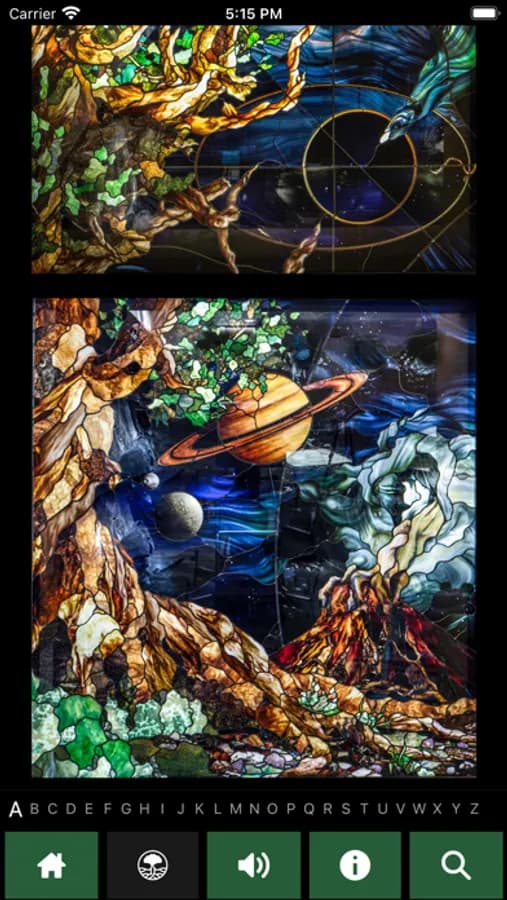
App screens from the Roots of Knowledge project.
$ cd ~/services/android
Give your customers a clear path from opening the app to getting things done.
Bring the product or workflow question you need to solve first. We’ll use the call to identify a practical next step.
Native Android apps for customer service, field work, and everyday product use. We scope the core workflow, connect your systems, and prepare a release for the devices your audience uses.
# project-workflow / Aptive Assistant
Aptive’s broader engagement included consumer iOS and Android apps. These historical Aptive Assistant screens show the customer workflow: getting started and choosing a service time.
AppsTango’s broader Aptive engagement included consumer iOS and Android apps alongside field-sales tools and dashboards. Aptive Assistant is the customer-facing project featured here, with historical screens from our portfolio.
Historical app screens from the AppsTango project portfolio. Select a screen to take a closer look.
# scope-and-delivery
Tablet, foldable, offline, and background behavior are scoped explicitly. Google controls Play review; your release plan includes the agreed testing and rollout steps.
# before-you-start
Yes, when included in scope. We agree device and screen-size coverage before design and testing, so the release criteria are clear.
We review your APIs, authentication, and data access before recommending changes. A new mobile app does not automatically require replacing the systems you already use.
We can scope local storage, synchronization, and conflict handling for the actions users need offline. Those decisions depend on the data and the consequences of a delayed update.
Your app is released through your Play Console account. Source code and handoff documentation are delivered as defined in the signed scope.
# related-projects
Utah Valley University
A mobile companion that brings the details of UVU’s stained-glass artwork closer.
App screens from the Roots of Knowledge project.
Aptive Environmental
An ongoing engineering partnership behind Aptive’s sales and knocking applications, with field workflows and reporting for the people running the business.
“Russ delivered 5 exceptional summers of technology excellence at Aptive. He was the architect of our software and built our highly successful sales and knocking applications.”
# your-next-step
A free 30-minute conversation about your scope, budget, and next step. A fixed-price proposal follows confirmed scope.
Prefer to share your brief first? Send project details →